
SuiteApp · Built for Oracle NetSuite
Get paid inside NetSuite.
PayGen is a payment processing integration that runs natively in Oracle NetSuite. Take cards, ACH and card-present payments against the invoices NetSuite already produced, send a PayNow link with the bill — and let settlement reconcile itself.

Why PayGen
Nothing about your AR is broken. It is just being done by hand.
Every step works. Every step costs a day. PayGen removes the handoffs rather than adding another system to manage them.
Today
Invoices go out with no way to pay them.
Today
Paying means a phone call or a cheque in the post.
Today
Payments arrive as a bank file and get keyed against invoices by hand.
Today
The close waits on one person’s spreadsheet.
$0
Setup cost. Risk-free onboarding.
How it works
Five stages, one record
Most payment tools sit beside the ERP and hand you a reconciliation job. PayGen runs on the NetSuite record itself, so the payment and the invoice are never two versions of the truth.
Stage 01
Presentment
The bill NetSuite produced still has to reach the customer with a way to pay it.
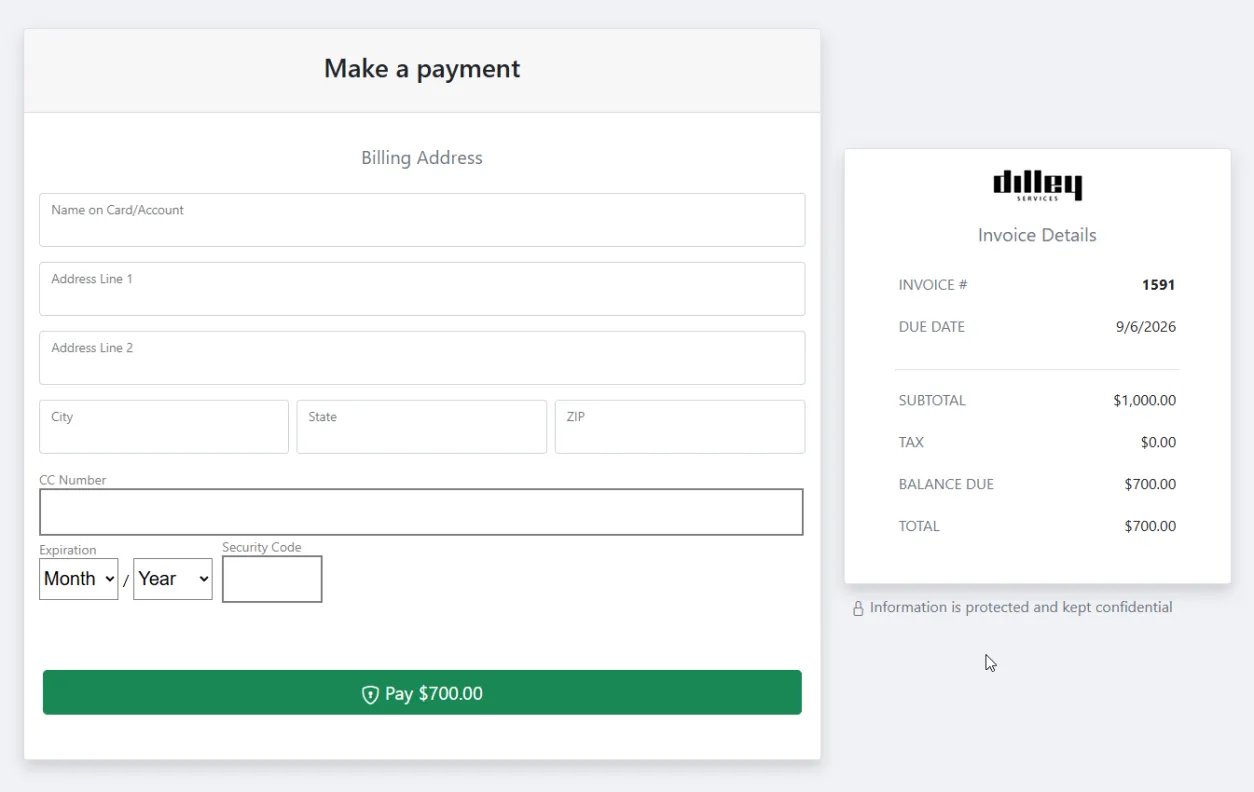
NetSuite produces and sends the invoice. PayGen puts a PayNow link on it, in the email or PDF template you already use, so the bill arrives with a way to settle it attached. The link opens a secure hosted page carrying the balance straight from the NetSuite record.
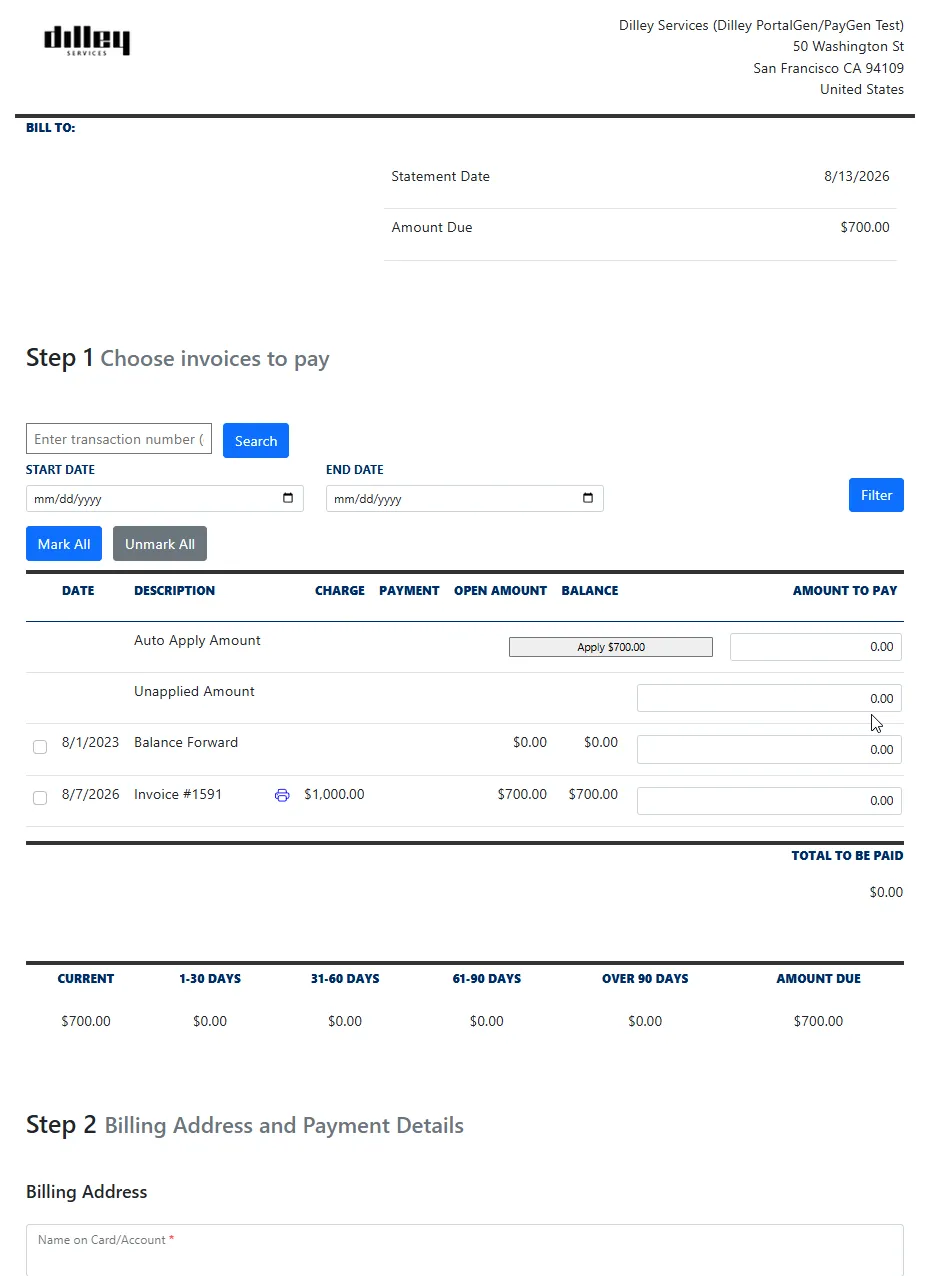
The page is a Freemarker template, so the wording, layout and branding belong to you rather than to us. Customers who would rather settle several invoices at once can open a statement page and pay a whole balance from one link.
- PayNow link on your template
- Email or PDF
- Branded Freemarker templates
- Hosted statement page
- Pay several invoices at once
- No account or login
PayGen adds the link. NetSuite still produces and sends the invoice.
Stage 02
Payment
An invoice a customer cannot pay in two clicks is an invoice that ages.
The balance can be settled by card, ACH or eCheck without an account, a login or a phone call. Authorize now and capture later when the goods ship; refund or void from the same record, without a second system to reconcile against.
Receipts issue on the spot, and AutoPay can carry the arrangement into the next cycle. Customers who pay in person are taken on a USB chip reader that posts to the same records as everything else.
- Card, ACH and eCheck
- Authorize and capture later
- Refunds and voids
- Card-present EMV
- AutoPay enrollment
- Convenience fees
One balance, one source of truth, however the customer chooses to pay.
Stage 03
Settlement and deposit
Money in the bank is only useful when you can tie it to what was paid.
The gateway settles the batch and the funds land in your bank. What comes back with them is a record rather than a statement PDF: the batch, the amounts and the transactions that made them up.
Because that detail arrives as a NetSuite record, the bank line, the batch and the individual payments can be lined up without anyone exporting a file or keying a reconciliation by hand.
- Settlement sync
- Deposit detail on the record
- Batch-level breakdown
- Bank line to transaction
- No export, no re-keying
Settlement detail is written back automatically; nothing is fetched by hand.
Stage 04
Cash application
The step where automation either saves the month-end or ruins it.
Payments apply themselves to the invoices they were made against. Partial payments, short pays and multi-invoice settlements resolve without a person deciding where the money goes, and the invoice closes when it should.
Settlement and deposit detail comes back from the gateway and lands against the records that produced it, so the batch, the bank deposit and the invoices agree.
- Automatic application
- Partial and short pay
- Deposit matching
- Settlement sync
- Full audit trail
One boundary, stated up front. PayGen applies the payments PayGen processes. A wire into your bank, a cheque in the post, or a card taken on a terminal that is not part of PayGen is not a PayGen payment — it stays a NetSuite task, exactly as it is today.
Stage 05
Visibility and reporting
A payment you cannot trace is a payment somebody will ask about.
Every gateway event PayGen handles, from authorization and capture through refunds, settlement and deposit, writes a record against the NetSuite transaction that produced it. No warehouse, no nightly export, no reconciliation between two versions of the truth.
Because everything is native, your existing NetSuite saved searches, roles and permissions still apply. AR sees AR, controllers see the close, and nobody is handed a spreadsheet to interpret.
- Gateway events on the record
- Settlement and deposit detail
- Saved-search driven
- SuiteAnalytics ready
- Role-based access
Built on NetSuite reporting rather than beside it.
The platform
Four parts of getting paid, all on the NetSuite record.
Payments, presentment, settlement and cash application — one SuiteApp, one install, one place to look when something needs answering.
01 / Payments
Take money any way your customers want to pay.
One gateway for cards, ACH and a card-present chip reader — with risk-free onboarding and no setup cost.
- Payment gateway
- Card and ACH processing
- eChecks
- Authorize and capture later
- Refunds and voids
- Point of sale
02 / Presentment
Every bill arrives with a way to pay it.
PayGen puts a PayNow link on the invoice template NetSuite already uses. The link opens a hosted page carrying the balance from the record, with no account, no login and no phone call.
- PayNow payment links
- Email or PDF delivery
- Branded Freemarker templates
- Hosted statement page
- Pay several invoices at once
- No account or login
03 / Card present and recurring
Cards in the room, and cards on file.
Take a card in person on a USB chip reader that posts to the same records as everything else. Store a token against the customer for AutoPay, and let them update it themselves when it expires.
- Card-present EMV
- Augusta chip reader
- Card tokenization
- AutoPay recurring charges
- Self-service card update
- Posts to the same records
04 / Cash application
Payments that apply themselves.
Payments you take through PayGen match the invoices they were made against — partial and short pays included — and settlement detail lands against the records that produced it.
- Automatic application
- Partial and short pay
- Deposit matching
- Settlement sync
- Full audit trail
In the product
What it actually looks like
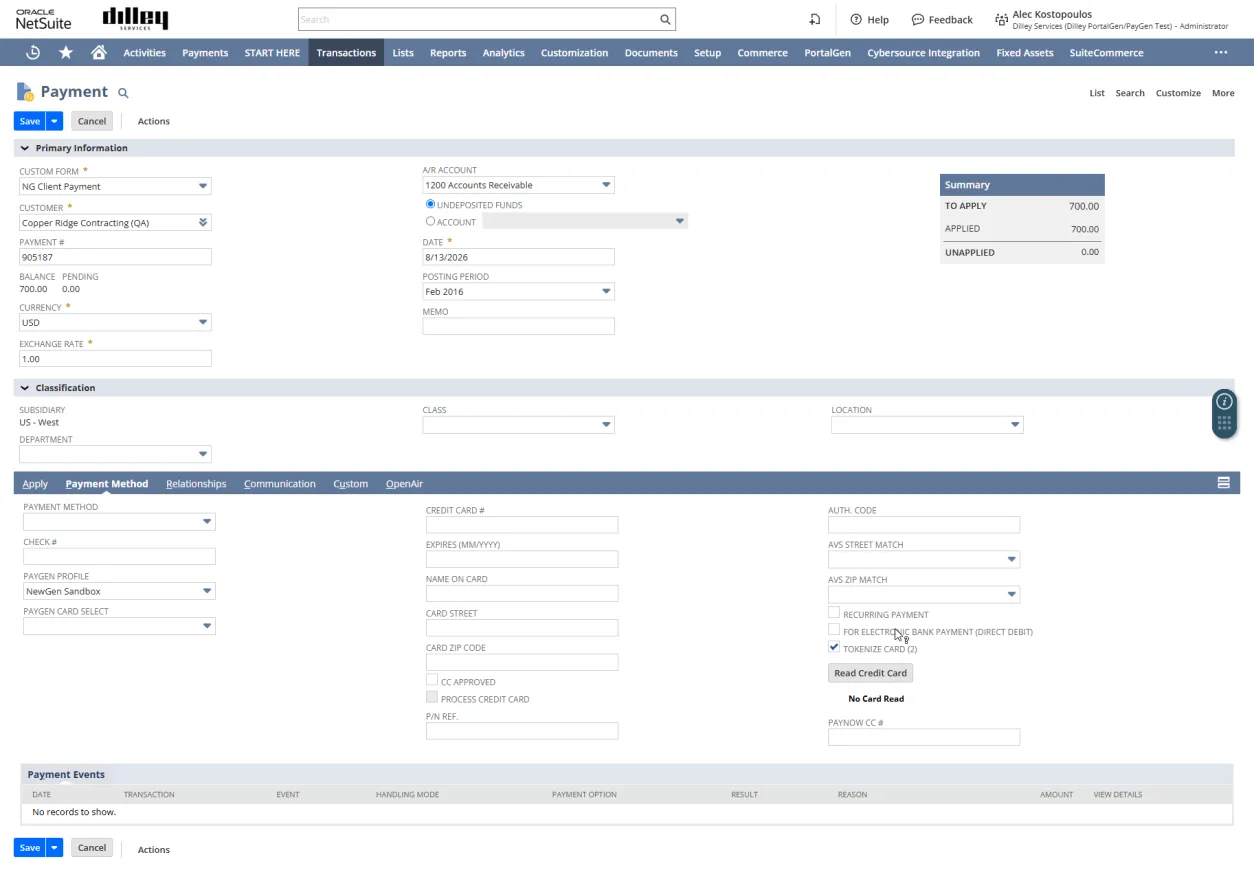
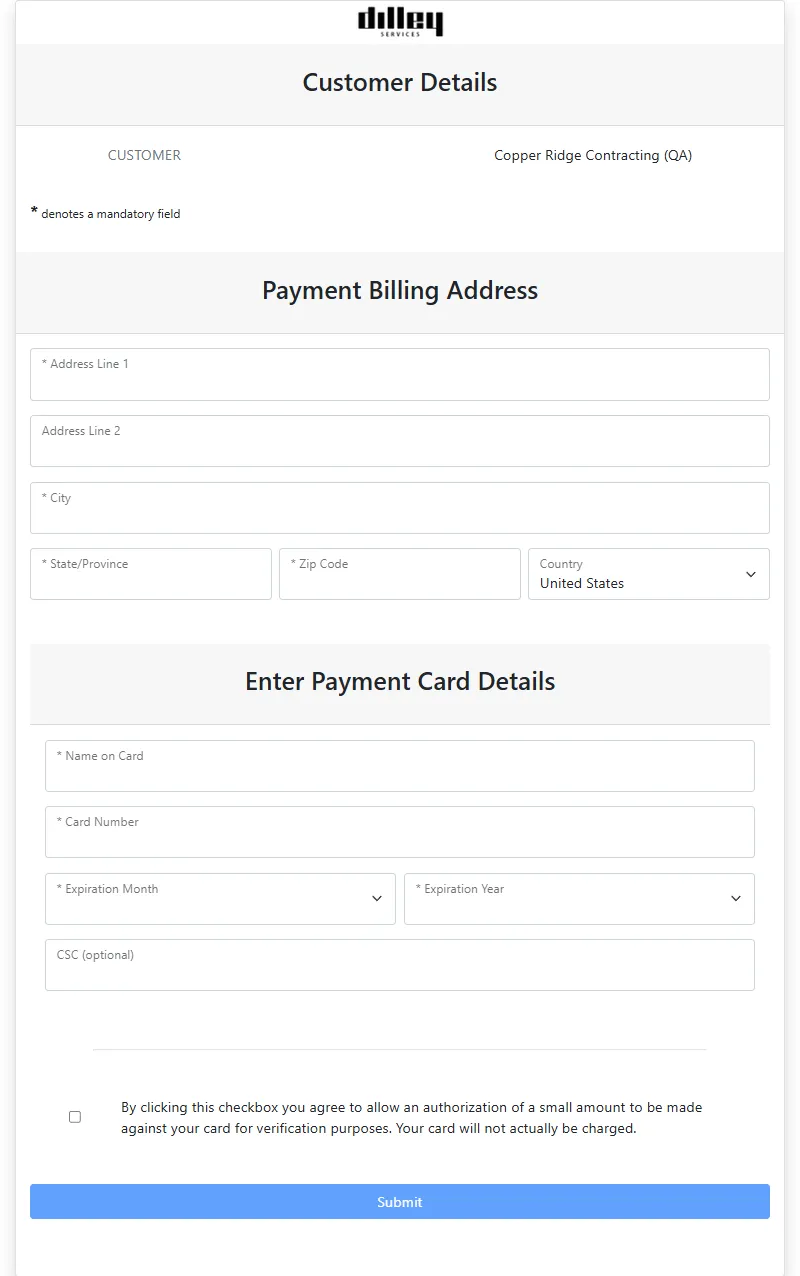
Both sides of one payment: the record your team works in, and the page your customer pays on.
NetSuite · Payment record
Hosted payment page
PayNow statement · step 1
Quick bill · card capture
Getting live
Cut over at your own pace. Keep your NetSuite.
PayGen runs on the PayTrace gateway. Your existing gateway can keep running alongside it while you cut over, so nothing has to be switched off on day one. There is no middleware, no data warehouse and no second system of record.
Payments route to the right merchant ID by subsidiary, entity or business line — so each set of books receives its own funds and reconciles against its own deposits.
ACH, PayNow links, AutoPay, the EMV reader and multi-MID routing are licensed per feature — your account manager scopes what you actually use.
Gateway
PayTrace
Deployment
NetSuite SuiteApp
Entities
Multi-MID, OneWorld
Setup cost
$0, risk-free onboarding
Step 01
Install the SuiteApp
Search SuiteBundler for bundle 532268 and install with the default options. Your records, roles and permissions stay exactly where they are.
Step 02
Connect and map
Enter your license key, point four card payment methods at your PayTrace profile, then charge a live invoice from the record to confirm the round trip.
Step 03
Let it run
Bills go out with a pay link, and settlement matches without a spreadsheet.
Security
Card data your business never has to hold.
Card numbers are tokenized, so what is stored on the NetSuite record is a reference — never a number worth stealing. Where a customer pays on a PayNow page, the number goes straight to the PCI-compliant gateway and never passes through NetSuite at all.
There is no second user directory to manage and no separate login to audit: your NetSuite roles decide who can charge, refund, void or view, and every action is logged on the record it happened to.
PCI-compliant gateway
AVS address checks
Full audit trail
Payment tokenization
Client story
The PayGen NetSuite integration let us keep our long-time payment processor and solved one of our top three goals — giving our clients a safe, secure environment to process payments while cutting administrative time and reducing errors for our staff.
Beth Pedrick — Logistics Manager, Decorative Materials
Questions
Frequently asked
What is PayGen?
PayGen is a payment processing integration built natively for Oracle NetSuite by NewGen Business Solutions. It connects NetSuite to the PayTrace gateway so you can take card, ACH and card-present payments against the invoices NetSuite already produced — and it writes every authorization, capture, refund and settlement back to the record that produced it.
Do we have to change payment processors?
PayGen processes through the PayTrace gateway. If you are on another gateway today it can keep running alongside PayGen while you cut over, rather than being switched off on a date. Onboarding is risk-free with no setup cost.
What payment methods can we accept?
Credit and debit cards, ACH and eCheck — taken from the NetSuite record, a PayNow link, or in person on the PayTrace Augusta EMV chip reader, which plugs into the machine your team already works in and is ordered through your PayTrace reseller. Cards on file are tokenized, and when a card stops working the customer can replace it themselves through a secure link — no card details read out over the phone.
Does it support OneWorld and multiple subsidiaries?
Yes. Payments route to the right merchant ID by subsidiary, entity or business line, so each set of books receives its own funds and reconciles against its own deposits. Multi-MID routing is licensed separately — your account manager scopes it with you.
Where does card data live?
Card numbers are tokenized, so what is stored on the record is a reference, never a number worth stealing. On a PayNow page the customer types the card straight into the PCI-compliant gateway and it never passes through NetSuite. Where a card is keyed on the NetSuite payment record instead, it is tokenized on capture and the number itself is not retained.
What happens after we request a demo?
Someone from NewGen replies within one business day with a few questions about your setup. Week one is a thirty-minute working demo against your own sandbox; week two is a written proposal with rates, scope and a go-live date.
Does it apply payments we take outside PayGen?
No. Automatic application covers the payments PayGen processed. A wire, a mailed cheque, or a card taken on another terminal is applied in NetSuite the way it is now. If most of your incoming money arrives outside PayGen, this stage will move less for you — worth knowing before a demo rather than after.
Anything missing — ask us directly.
Run it against your own ledger.
Bring one difficult account — odd terms, partial payments, a fee arrangement — and we will take a payment against it live, apply it, and show you the settlement come back, in a thirty-minute working demo.